9 Best Scanners for Old Photos (November 2026)
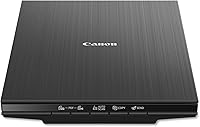
The best scanners for old photos include the Epson FastFoto FF-680W High-Speed Duplex Photo for large photo collections, the KODAK Slide N Scan Film & Slide for easy film and slide conversion, and the Canon CanoScan LiDE 400 Slim Scanner for high-resolution flatbed scans.
On this page (6 sections)
The best scanner for old photos for most large collections is the Epson FastFoto FF-680W. It combines batch scanning, a carrier sheet for delicate prints, automatic corrections and wireless or USB connections.
It suits homes with boxes of loose prints rather than a small handful of images. You can work through family collections in batches instead of placing each print by hand.
It can scan up to 36 photos at a time and as quickly as 1 photo per second at 300 dpi. That speed helps you finish a large archive without weeks at a desk.
Photos up to 8 x 10 in are supported, along with Polaroid photos, panoramas and postcards. Mixed sizes can be handled in one batch.
A carrier sheet is included for delicate prints that should not travel through the feeder alone. The cleaning cloth also helps with light dust before scanning.
Duplex scanning captures both sides in a single pass. That helps when handwritten names, dates or notes on the back belong with the image.
Automatic tools include color restoration, red-eye reduction, de-skew, crop and rotate. These tools reduce manual cleanup, although you should still check the result before saving.
Use 300 dpi for quick sharing, 600 dpi TIFF for archiving and 1200 dpi for enlargements. Choosing the setting before you scan keeps file sizes sensible.
Epson ScanSmart and OCR convert images into readable text for letters or other papers stored with photos. The Epson FastFoto app can add voice and text over photos or create slideshows from a smartphone.
Dropbox and Google Drive support helps with backup and sharing. Wi-Fi and USB connectivity give you flexibility in placement.
At 11.7 x 11.7 x 6.9 in and 8.2 pounds, it is larger than a mobile scanner, so measure your desk first. It is designed for connected computer or mobile workflows, not screen-based use away from a device.
Choose a flatbed if you want to handle one fragile print at a time on glass. Choose a film scanner if your memories are mostly negatives or slides.
For a broader look at the best scanner for pictures, compare scan type, photo size support and storage workflow before resolution. Plan folders by family, event or decade, and keep a backup copy on another drive or cloud service.
Our picks at a glance
-
1
 Best for large photo collections
Epson FastFoto FF-680W High-Speed Duplex Photo
9.7/10 our score
See it on Amazon -
2
 Best for easy film and slide conversion
KODAK Slide N Scan Film & Slide
9.6/10 our score
See it on Amazon -
3
 Best for high-resolution flatbed scans
Canon CanoScan LiDE 400 Slim Scanner
9.5/10 our score
See it on Amazon
- 4
 Check it
Magnasonic All-in-One 24MP Film Scanner with Large
Best for computer-free film scanning - 5
 Check it
Epson Workforce ES-50 Compact & Lightweight Mobile
Best for portable document and photo work - 6
 Check it
ScanSnap iX2500 Photo Edition Wireless or USB
Best for high-volume mixed scanning - 7
 Check it
Plustek ePhoto Z300 Photo Scanner
Best for gentle single-photo feeding - 8
 Check it
ClearClick QuickConvert 2.0 Photo
Best for cordless small-photo scanning - 9
 Check it
Epson Perfection V550 Color Photo
Best for film restoration detail
The best scanners for old photos by collection type
The right picture scanner depends on how many prints you have and whether your collection includes film. The Epson FastFoto leads for volume, while the Plustek, Canon and Epson V550 suit more careful flatbed-style work.
For a mobile setup, compare portable photo scanners.
Epson FastFoto FF-680W High-Speed Duplex Photo: Best for large photo collections
- Scans up to 36 photos at a time
- Up to 1 photo per second at 300 dpi
- Scans photos up to 8 x 10 in
- Wi-Fi and USB connectivity
Batch scanning, duplex capture and automatic corrections make this the strongest fit for a large box of aging prints.
Pros
- Fast batch scanning
- Carrier sheet included
- Wi-Fi and USB
Cons
- Larger than mobile scanners
- Designed for connected computer or mobile workflows
The Epson FastFoto FF-680W is the strongest fit for a large box of loose prints. It can scan up to 36 photos at once, and Epson states that it can scan as quickly as 1 photo per second at 300 dpi.
It handles Polaroid photos, panoramas, postcards and photos up to 8 x 10 in. The carrier sheet and included cleaning cloth are useful when you are working with delicate or dusty prints.
The scanner can capture both sides in one pass, so handwritten notes on the back can stay with the image. Its automatic tools include color restoration, red-eye reduction, de-skew, crop and rotate.
Use 300 dpi for quick sharing, 600 dpi TIFF for archiving and 1200 dpi for enlargements. The Epson FastFoto app can also add voice and text to photos, while Epson ScanSmart includes OCR for documents.
This is the best scanner for old photos when speed and organization matter more than a slim footprint. Its stated dimensions are 11.7 x 11.7 x 6.9 in, so measure your desk before setting up.
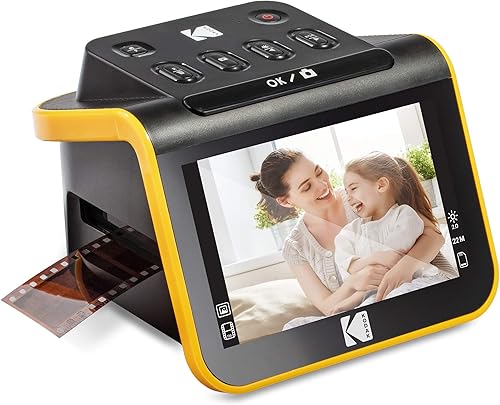
KODAK Slide N Scan Film & Slide: Best for easy film and slide conversion
- 22MP resolution
- 5 in LCD screen
- Supports 135, 110 and 126 film
- Saves to SD or SDHC cards up to 32GB
A large screen and simple film inserts make this a practical choice for converting negatives and slides without complicated computer software.
Pros
- Large LCD preview
- Several film adapters
- No complex setup
Cons
- SD card not included
- For film and slides rather than loose paper prints
The KODAK Slide N Scan is built for old negatives and slides, not stacks of loose paper prints. It uses a 22MP sensor and a 5 in LCD screen for previewing and editing directly on the scanner.
The large screen suits a household that wants to preview images without setting up a computer. Gallery mode also makes it easier to review a group of scans before sharing them.
Its inserts support 135, 110 and 126 film, along with 50mm slides. That range covers the formats most families are likely to find.
The continuous-loading tray helps you move through film without repeatedly removing the tray. Files save directly to an SD or SDHC card up to 32GB, and the card is not included.
HDMI and USB connections give another way to view or transfer scans. HDMI suits viewing on a television, while USB suits moving files to a computer.
Simple controls let you choose film type and adjust color and brightness on the scanner. That reduces the need for separate editing software for basic corrections.
Choose this model when your collection is stored on film. For paper prints, use a best flatbed scanner for photos instead, since the KODAK model is not designed for loose photos on paper.
Check your film formats before buying, since compatibility matters more than resolution here.
Canon CanoScan LiDE 400 Slim Scanner: Best for high-resolution flatbed scans
- 4800 x 4800 dpi resolution
- 8-second scanning
- USB Type-C cable
- Color restore and dust removal
This slim flatbed suits careful one-photo-at-a-time scanning when resolution and a low-profile design matter.
Pros
- High optical resolution
- Slim body
- Auto scan and PDF buttons
Cons
- One item at a time
- USB connection required
The Canon CanoScan LiDE 400 suits careful flatbed scanning of loose photos. Its 4800 x 4800 dpi resolution and color restore and dust removal tools help preserve detail.
The flatbed format suits prints that are fragile, curled or too valuable to send through rollers. You can place each photo on the glass and check its position before scanning.
It scans in as little as 8 seconds and uses one USB Type-C cable for power and data. One cable keeps a small desk tidy and makes the scanner easier to move.
The slim body measures 7.7 x 14.5 x 0.4 in and weighs 3.6 pounds. Its low profile helps it fit where a taller desktop scanner would not.
The built-in EZ Buttons include auto scan and PDF controls. Auto scan detects the type of material, while the PDF button supports multi-page documents that are editable and searchable.
Paper sizes listed include 8.27 x 11.69 and 8.50 x 11.69. Check the size of your largest prints before scanning, since flatbed coverage is fixed.
A flatbed takes longer for a large box because you place each photo on the glass. Pick it when careful placement and high resolution matter more than automatic feeding.
Clean the glass regularly so dust does not carry into each scan. Store the scanner upright with the clip-on stand when space is tight.
Magnasonic All-in-One 24MP Film Scanner with Large: Best for computer-free film scanning
- 24MP digital JPEG files
- 5 in LCD screen
- Supports 35mm, 110, 126 and Super 8 film
- SD cards up to 128GB
The built-in screen and SD card workflow let you convert compatible film and slides without a computer.
Pros
- 24MP output
- Large preview screen
- On-device color adjustments
Cons
- SD card not included
- Film-focused workflow
The Magnasonic FS71 is a computer-free option for converting compatible film and slides. It creates 24MP JPEG files and previews them on a 5 in LCD screen.
The screen lets you check an image before saving it. It also lets you review scans without moving files to another device first.
It supports 35mm, 110, 126 and Super 8 film, plus 135, 126 and 110 slides. Check your collection against that list before you plan a session.
The scanner can save to an SD card up to 128GB, but the card is not included. Larger storage suits a long archive.
Scanning takes less than 5 seconds per item with the fast-loading film trays. That speed helps when you have a box of film to work through.
Brightness and RGB color correction happen on the scanner itself. You can also flip and mirror images without opening editing software.
HDMI output lets you view images on a compatible TV or monitor, while USB supports transfer to a computer. The HDMI cable is not included.
Choose this model when your collection is mostly film and you want a simple workflow. It is not the first choice for loose paper prints.
Epson Workforce ES-50 Compact & Lightweight Mobile: Best for portable document and photo work
- Scans pages in as little as 5.5 seconds
- USB powered
- Handles documents up to 8.5 x 72 in
- Windows and Mac compatible
Its small, USB-powered design is useful for portable document work and occasional photo scanning when a dedicated photo model is not needed.
Pros
- Lightweight design
- USB power
- OCR software included
Cons
- Single-sheet feed
- Document-focused design
The Epson WorkForce ES-50 is mainly a portable document scanner, but it can help with occasional photo work when portability is the priority. It scans a single page in as little as 5.5 seconds and connects through USB.
The single-sheet design suits work away from home or in a small office. It is easier to carry than a desktop photo scanner and fits in a bag.
It handles documents up to 8.5 x 72 in, along with receipts and ID cards. Extra-long pages are useful for documents, although they are less common for family photos.
Its 1200 dpi resolution gives room for basic image capture. Higher resolution settings create larger files, so choose based on sharing or archiving needs.
Epson ScanSmart and OCR support document organization and searchable files. Nuance OCR can create searchable PDFs and editable Word and Excel files.
At 10.7 x 10.7 x 1.3 in and 9.44 oz, it is compact, but it means a single-sheet workflow. It needs no battery or external power supply when connected by USB.
Automatic feeding mode combines multi-page scans into one file. That helps with receipts and documents that arrive as separate sheets.
Choose it for a mixed portable workflow rather than a dedicated photo archiving project. For more detail on connection choices, read our guide to a photo scanner to USB.
ScanSnap iX2500 Photo Edition Wireless or USB: Best for high-volume mixed scanning
- Up to 100 photos per minute
- ADF holds up to 100 documents or 36 photos
- Three photo carrier sheets
- Wi-Fi 6 and USB-C
This newer high-volume option suits households sorting photos, receipts, documents and business cards in one organized workflow.
Pros
- Large feeder
- Photo carrier sheets
- Wireless or USB use
Cons
- Larger desktop footprint
- Higher-capacity workflow may be more than a small collection needs
The ScanSnap iX2500 Photo Edition suits a household scanning photos and documents in the same session. Its feeder holds up to 100 documents or up to 36 photos, and ScanSnap states that it can scan up to 100 photos per minute.
That capacity suits a mixed archive of prints, receipts, documents and business cards. One workflow can handle the paper that often ends up stored with old photos.
Three photo carrier sheets help protect delicate prints during feeding. Use them for prints that should not pass through the feeder without support.
Automatic rotation, cropping, color restoration and red-eye reduction reduce manual cleanup after scanning. You should still review the output, especially for faded or damaged prints.
Wi-Fi 6 and USB-C support connections to computers, mobile devices and cloud services. Wireless use can help when the scanner is not placed next to a computer.
The large touchscreen lets you select personalized profiles for different scanning jobs. Profiles help you send photos to one destination and documents to another without changing settings each time.
Automatic optimization, naming and sorting help with organization. That matters when a session produces many files that need clear names and folders.
Its dimensions are 6.26 x 11.5 x 6.34 in, and it weighs 7.7 lb. The footprint is larger than a mobile scanner, so plan space on the desk.
Pick it when volume and mixed media organization matter. A smaller collection may not need its larger workflow or higher capacity.
Plustek ePhoto Z300 Photo Scanner: Best for gentle single-photo feeding
- Scans 4 x 6 photos in 2 seconds
- Supports 3 x 5, 4 x 6, 5 x 7 and 8 x 10 photos
- CCD sensor
- Automatic color restoration
The roller design and CCD sensor make this a strong fit for old prints that need gentle, one-at-a-time handling.
Pros
- Supports several photo sizes
- Fast 4 x 6 scans
- Photo enhancement tools
Cons
- Simplex scanning
- USB connection required
The Plustek ePhoto Z300 is a strong photo scanner for old pictures that need gentle, one-at-a-time feeding. Its roller design is intended for old prints, and its CCD sensor supports color accuracy and a deeper focus range than a flat surface sensor.
It supports 3 x 5, 4 x 6, 5 x 7 and 8 x 10 photos, plus letter and A4 paper. At 300 dpi, it scans a 4 x 6 photo in about 2 seconds and an 8 x 10 photo in about 5 seconds.
The available settings are 300 dpi and 600 dpi. Software tools can auto-crop and rotate images, restore faded colors and save files in several formats.
The Z300 scans one side at a time, so it is slower than a batch duplex model for a large collection. Choose it when protecting old prints and feeding different photo sizes matters more than unattended volume.
ClearClick QuickConvert 2.0 Photo: Best for cordless small-photo scanning
- Scans 4 x 6 photos or smaller
- Built-in rechargeable battery
- 5 in preview LCD
- Saves JPEG files to an SD card
A rechargeable battery and instant preview suit quick scans of loose small photos, slides and negatives away from a computer.
Pros
- Cord-free scanning
- No computer required
- Works with mounted photos
Cons
- Does not support 5 x 7 photos
- No automatic feeder
The ClearClick QuickConvert 2.0 is made for small photos, slides and negatives when you do not want to use a computer. It scans 4 x 6 photos or smaller, but it does not support 5 x 7 photos.
The size limit is the first thing to check. Measure your prints before buying, since larger photos will need a different scanner.
Its built-in rechargeable battery allows cord-free scanning, and the 5 in LCD screen gives you an instant preview. That suits scanning in another room or at a family gathering.
ClearClick states that each photo, slide or negative takes about 2 to 3 seconds to scan. The pace is suitable for a modest group rather than hundreds of prints.
The scanner saves JPEG files to an SD memory card. You can review the images on the screen and move the card to a computer later.
It produces 14MP scans, with 22MP interpolated output. Interpolated resolution expands the file beyond the base scan resolution.
It can scan photos without removing them from some albums or mounts. That is helpful when removing a print could damage the album page or the photo.
The scanner supports 35mm slides and 35mm, 110 and 126 negatives. Pick it for quick small-format scans, as its lack of an autofeeder suits a modest group.
Epson Perfection V550 Color Photo: Best for film restoration detail
- 6400 dpi optical resolution
- Built-in transparency unit
- Digital ICE for film dust and scratches
- 48-bit color depth
The V550 is a detail-focused flatbed for photos, negatives and slides when high optical resolution and restoration tools matter most.
Pros
- High optical resolution
- Film scanning
- Multiple photos at once
Cons
- Large and heavy
- One flatbed scan area at a time
The Epson Perfection V550 is the best fit here for detailed photo, negative and slide work. Its 6400 dpi optical resolution, 48-bit color depth and built-in transparency unit support high-detail scans and enlargements up to 17 x 22 in.
Optical resolution matters when you plan to enlarge a small negative or crop part of a print. It gives you more detail to work with than a lower-resolution scan.
Digital ICE removes the appearance of dust and scratches on film, while Easy Photo Fix helps restore faded photos. These tools suit older material that needs attention beyond a basic scan.
ReadyScan LED technology scans without a warm-up period. That makes short sessions simpler, since you do not need to wait before the first scan.
The flatbed can scan multiple photos, slides or film strips at once, then auto edge detection crops each image into a separate file. That is useful for a set of similar prints or film frames.
ABBYY FineReader Sprint Plus OCR handles documents and converts them into editable text. It adds value when a flatbed is also used for letters and other paper records.
At 19.09 x 11.02 x 4.64 in and 9.6 lb, it needs more desk space than the portable models. Plan a stable surface and room for the lid to open.
Choose it when film restoration and optical detail matter more than fast batch feeding. It suits a careful project rather than a quick pass through a large box.
How we compared these photo scanners
We compared the scanners by the type of old photos they handle, feeding method, resolution, connection, storage and image correction tools.
The first question is what you own. Loose paper prints, negatives and slides each need a different handling method.
Batch feeders are useful when you have hundreds of loose prints. They reduce the time spent placing each photo by hand.
Flatbeds give you more control over each print. You can check position, size and condition before you start the scan.
Film scanners are the right match for negatives and slides. Their holders and light path are designed for film rather than paper prints.
A carrier sheet can add protection when a print is fragile. It carries the photo through a feeder with more support than a bare print would have.
Resolution should match the job rather than simply being the highest number available. Sharing, archiving and enlarging each need a different setting.
Connection choices affect where you work. USB suits a fixed computer setup, while Wi-Fi suits a scanner placed away from the computer.
Storage workflow is just as important as scan quality. Clear folders and backups decide whether the finished archive is easy to use.
Image correction tools can help with faded color, red-eye and skew. They do not replace a careful check of the original scan.
We also looked at size and weight, since a scanner needs room on a desk. The best match depends on collection size, media type and how much cleanup you want to do.
What resolution is best for a picture scanner for old photos?
Use 300 dpi for sharing, 600 dpi for archiving and a higher setting when you plan to enlarge or restore an image. Resolution alone does not repair a damaged print, so clean the glass and keep the original photo flat.
At 300 dpi, files are easier to email, print at a modest size or share with family. That is a sensible default for everyday use.
At 600 dpi, you keep more detail for future editing and larger prints. It is a better choice for photos you may want to restore later.
Higher settings can help with enlargements, but they also create much larger files. Use them when the print is small or the detail is important.
The Epson FastFoto offers 300 dpi, 600 dpi TIFF and 1200 dpi options. TIFF is often chosen for archiving because it preserves the scan in a widely used file format.
The Canon offers 4800 x 4800 dpi, while the Epson V550 provides 6400 dpi optical resolution for detailed flatbed and film work. Those settings suit careful work with individual prints and negatives.
High resolution does not fix a bent print or a dirty scanner glass. Handling and cleaning still decide whether the scan is usable.
Check that the photo lies flat on a flatbed before scanning. A raised edge can leave part of the image soft or out of focus.
For a feeder, separate stuck photos and remove loose dust first. A clean feed path helps prevent marks and jams.
Create folders by family, event or decade, then keep a second copy on another drive or cloud service. Save the original scan before applying edits.
Name files in a consistent way as you scan. Names with the subject, approximate date or event are easier to find than automatic numbers alone.
For film, use the resolution suited to the format and your planned enlargement. Small negatives need more resolution for a large print than a full-size photo.
Is a flatbed or feeder better for old photos?
A flatbed is better for fragile, curled or unusual prints that need careful placement. A feeder is better for a large set of similar loose photos when you want to work through them quickly.
The choice comes down to risk and time. A flatbed gives you control, while a feeder gives you speed for a large batch.
The Plustek ePhoto Z300 is designed for one-photo feeding and supports several print sizes. Its roller design is intended for old prints that need gentle handling.
The Epson FastFoto FF-680W and ScanSnap iX2500 support larger batches. That capacity suits a household with hundreds of loose prints.
Even with a batch feeder, you should still remove dust and separate photos before scanning. Stuck prints can jam or tear when they travel together.
A carrier sheet adds protection for delicate prints in a feeder. Use it when a print is fragile or when you want extra support.
For negatives and slides, a dedicated film scanner is more suitable. Film needs holders and a light path designed for transparent media.
Our guide to the best photo and negative scanner explains which features matter for film collections. Mixed collections may need more than one approach.
Start with the most fragile items and scan them first. Keep notes on file names and scan settings so you can find a photo later without rescanning.
How to protect old prints while scanning
Handle old photos by their edges and keep food, drinks and liquids away from the work area. Use a soft cleaning cloth for light dust, and do not force a curled or stuck print into a feeder.
Wash and dry your hands before a scanning session. Clean hands reduce the risk of leaving marks on the surface of a print.
Sort the collection before you begin, and set aside anything torn, stuck or badly curled. Those items may need a flatbed or a carrier sheet rather than a standard feed.
Scan a small group first and check the color, crop, orientation and file names. A short test session shows whether the settings suit your prints.
Save the original scan before applying edits, so you can return to the unedited file later. Keep edits in a separate copy when possible.
Check a scan at a larger view on screen before moving to the next batch. That check can reveal dust, glare or a cut-off edge.
For a flatbed, close the lid gently and keep the glass clean. A clean glass surface helps prevent spots that repeat in every scan.
For a feeder, use a carrier sheet when the scanner supports one, and follow the scanner care instructions for rollers and cleaning. Regular cleaning helps the path stay smooth for old prints.
Store originals in a cool, dry place after scanning. Digitizing a photo does not remove the need to keep the print safe.
Back up the finished files to another drive or cloud service. Keep the backup separate from the computer used for scanning, and work in short sessions with consistent folder names.
What should you buy for a photo scanner for old pictures?
Buy the Epson FastFoto FF-680W for a large collection of loose prints. Choose the Plustek ePhoto Z300 when gentle single-photo feeding and several print sizes matter most.
Choose the Canon CanoScan LiDE 400 for a slim flatbed with high resolution, or the Epson Perfection V550 for film, negatives and restoration detail. If your memories are on slides or negatives, the KODAK and Magnasonic models offer simpler screen-based workflows.
The best scanner for old photos is the one that matches your media and your collection size. Start with the feeder or flatbed choice, then select resolution, storage and connection features that fit how you plan to preserve the scans.
Our top 3 picks at a glance
-
1
Best for large photo collections
Epson FastFoto FF-680W High-Speed Duplex Photo
9.7/10 our score
See it on Amazon -
2
Best for easy film and slide conversion
KODAK Slide N Scan Film & Slide
9.6/10 our score
See it on Amazon -
3
Best for high-resolution flatbed scans
Canon CanoScan LiDE 400 Slim Scanner
9.5/10 our score
See it on Amazon
Frequently asked questions
What is the best scanner for old photos?
The Epson FastFoto FF-680W is the best scanner for old photos when you have a large collection because it can batch-scan up to 36 photos and includes a carrier sheet for delicate prints. For single-photo handling, consider the Plustek ePhoto Z300 or Canon CanoScan LiDE 400.
Should I scan old photos at 300 dpi or 600 dpi?
Use 300 dpi for quick sharing and 600 dpi for archiving or future editing. Higher resolution creates larger files, so keep a clear folder structure and back up important scans before deleting or moving the original prints.
Can a photo scanner scan pictures from an album?
The ClearClick QuickConvert 2.0 can scan photos without removing them from some albums or mounts, but it does not support 5 x 7 photos. A flatbed scanner is another option when you can place the album page flat on the glass.
What is the best photo scanner for old negatives?
The Epson Perfection V550 is the strongest choice here for detailed film work because it has a built-in transparency unit, 6400 dpi optical resolution and Digital ICE. The KODAK and Magnasonic models are simpler choices for quick film conversion.